Instagram users swipe through feeds quickly. If they cannot read your text within a second, they scroll past. Modern minimalist fonts for Instagram carousel posts solve this problem by removing unnecessary decoration. Clean lines and open shapes make your message clear on small mobile screens. This style keeps the focus on your content rather than the typography itself.
What makes a font minimalist for social media?
Minimalist typefaces usually lack serifs or extra flourishes. They rely on consistent stroke widths and balanced spacing. This simplicity ensures legibility when images shrink on different devices. You want letters that stand out against backgrounds without needing heavy shadows or outlines. The goal is to reduce visual noise so the viewer understands the slide immediately.
When does simple typography work best?
Educational carousels need high readability. If you share step-by-step guides, quotes, or data, clutter distracts from the information. Decorative scripts work for invitations, but they fail in long-form slides. Use simple styles when you want the audience to retain information rather than just admire the design. Clarity drives saves and shares more than ornate details do.
Which typefaces should you download first?
Start with versatile sans-serif options. Montserrat offers many weights, allowing you to bold key points without changing families. Lato works well for body text because it remains clear at smaller sizes. For headlines, Bebas Neue provides height and impact without widening the layout. These choices keep your brand looking consistent across multiple slides.
What mistakes ruin readability on mobile?
Using fonts that are too thin causes text to vanish on low-brightness screens. Overcrowding slides with too many words forces users to zoom in, which breaks the swipe flow. Another common error is low contrast between text and background. If you need stronger contrast ideas for other platforms, you might look at contrast-heavy font pairings for YouTube thumbnails to see how bolding works elsewhere. Consistency matters, but legibility comes first.
How do you pair fonts without creating clutter?
Limit yourself to two typefaces per project. Mix a bold header with a regular body font. If you design video covers, you can apply similar rules found in classic and contemporary font pairings for TikTok covers. This helps maintain a unified look if you repurpose content across apps. For more specific slide examples, browse our gallery of carousel typography options.
What should you check before publishing?
- View your slides on a actual phone screen, not just a desktop monitor.
- Ensure there is enough space between lines of text.
- Verify that text color contrasts sharply with the background.
- Keep the same font family throughout the entire carousel.
- Remove any words that do not add value to the message.
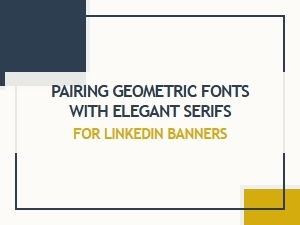 A Modern Geometric Font and Elegant Serif Pairing
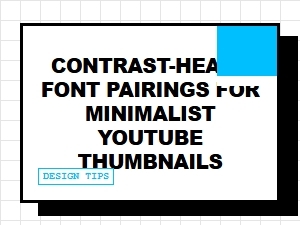 Contrast-Heavy Font Pairings for Minimalist Thumbnails
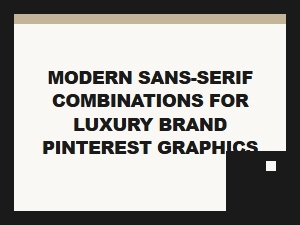 Modern Sans-Serif Pairs for Luxury Graphics
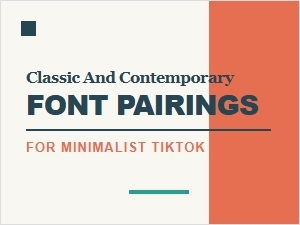 Classic and Contemporary Font Pairings for Minimalist Covers
 Adding Whimsy: Fonts That Tell Playful Stories
 Authoritative Typography for Financial Reports